

TrustSync app can help you collect Yelp reviews from your Shopify customers to boost your business reputation. Using this Shopify app, you can easily send review request emails to your customers without any hassle.
Note: To collect review link for Yelp reviews, you need to have a Yelp business page.
How To Find & Add Review Link For Yelp?
We will now show you how to find & add review link for Yelp on TrustSync app. Follow these three steps:
Step 1: Find Your Business In Yelp
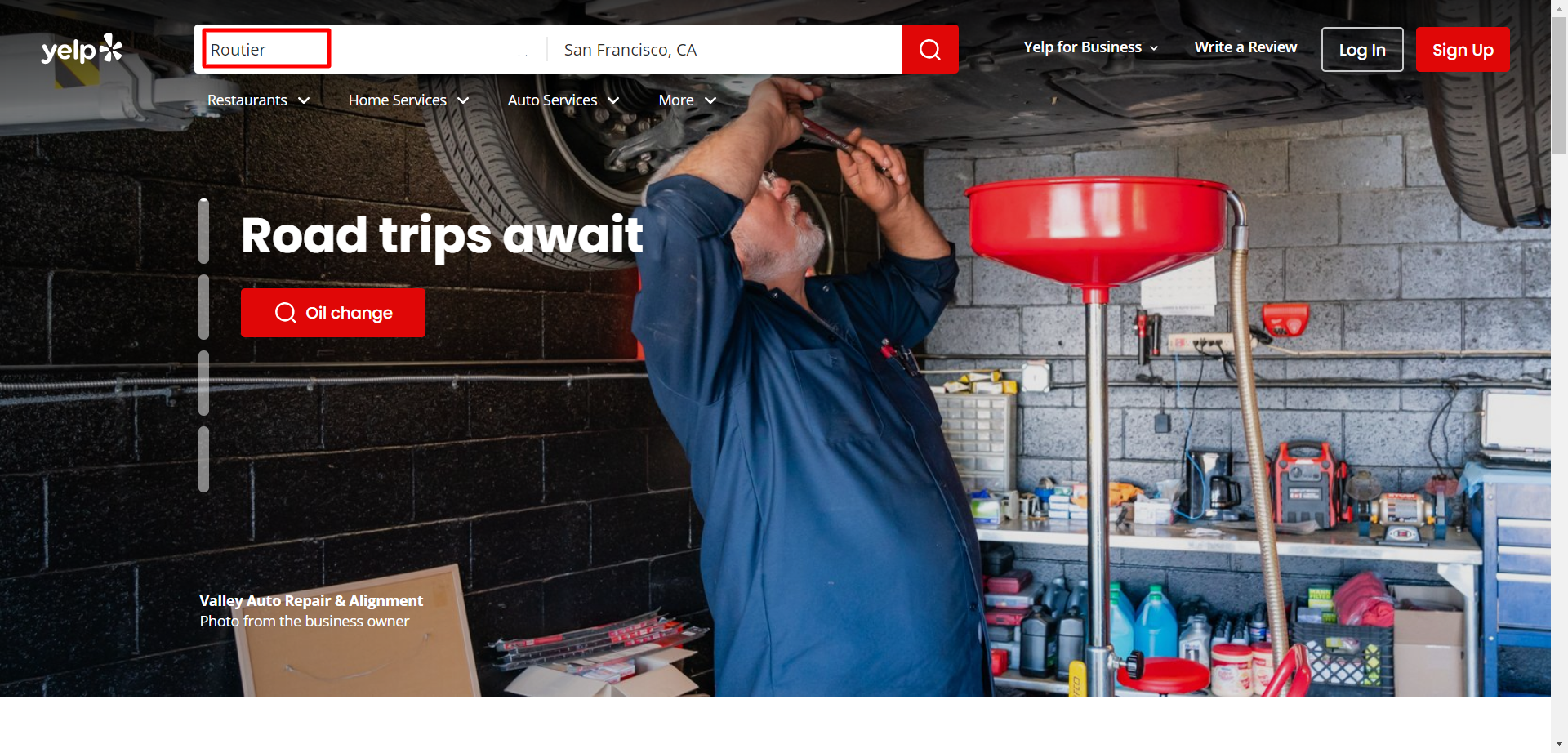
First, go to Yelp and search for your business page. Once it appears on the search, hit on your company name.
Step 2: Collect The Yelp Review Link
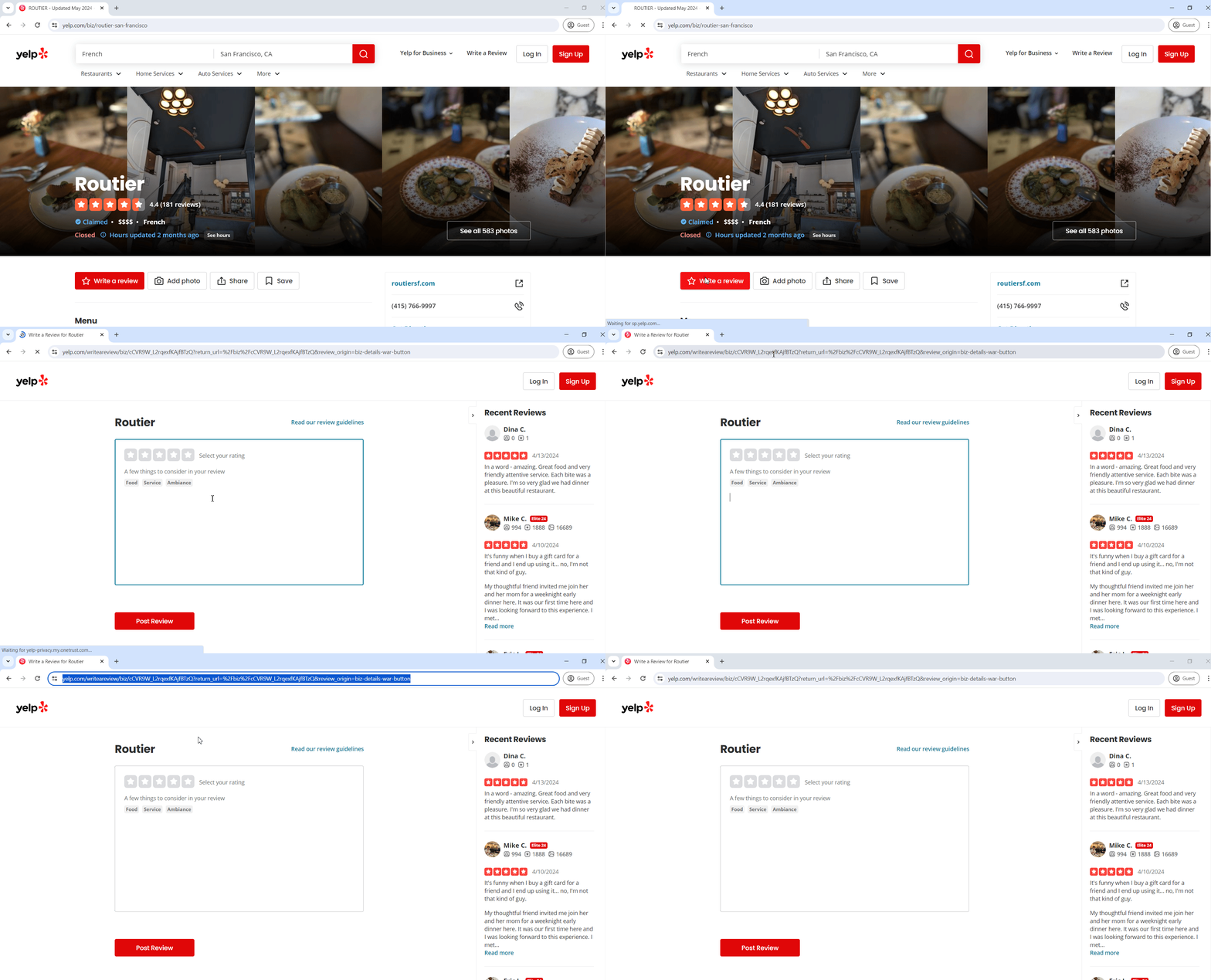
Now, click on the ‘Write a review’ button which will take you to another page. From there, copy the page URL from your browser.
Step 3: Add Yelp Review Link In TrustSync
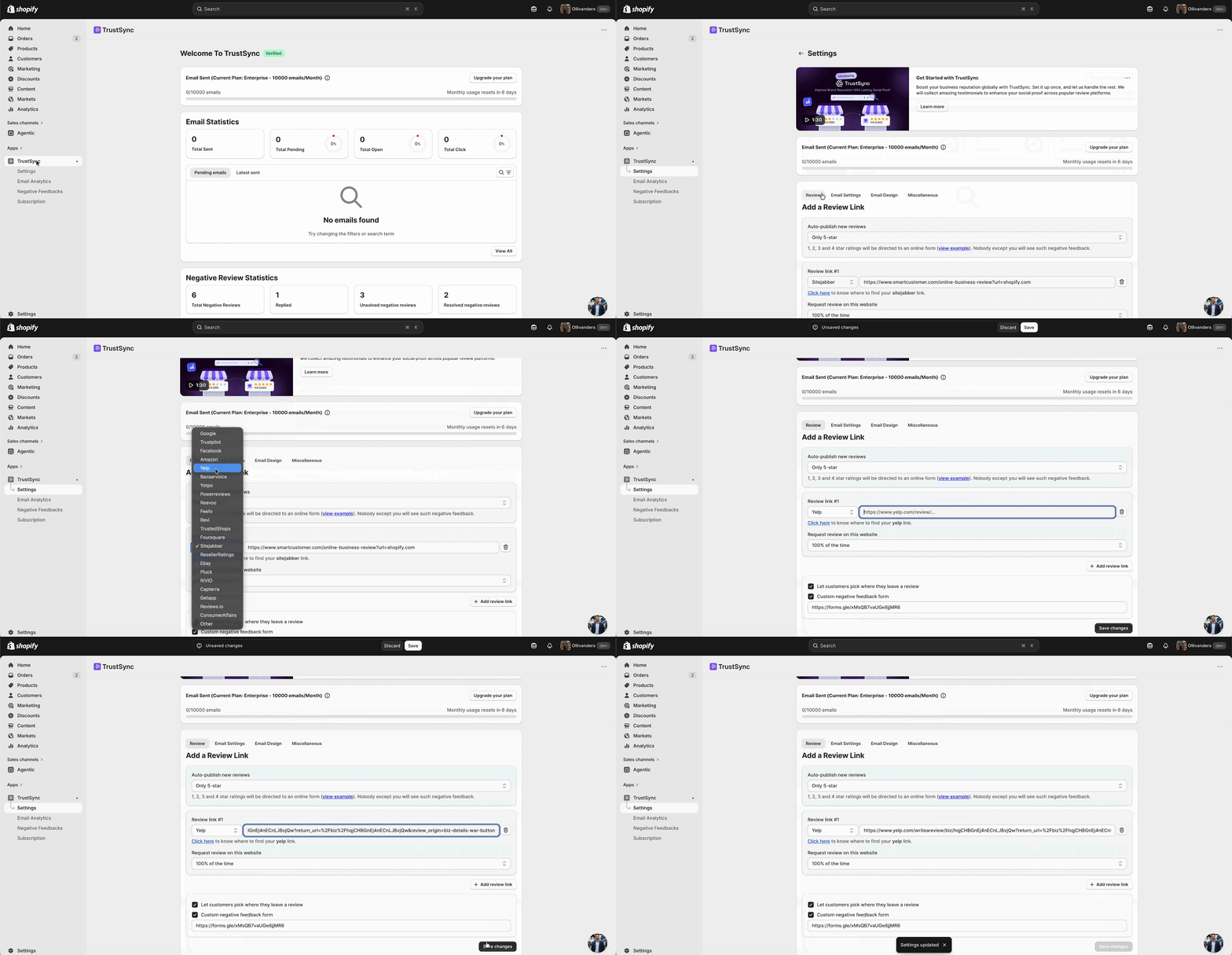
From your TrustSync dashboard, navigate to the ‘Settings‘ → ‘Review‘ tab. Under the ‘Add a Review Link’ section, select the review link as ‘Yelp’ and paste the copied link before clicking the ‘Save Changes’ button.
While publishing new reviews automatically, you’ll get 3 options to choose from:
- Only 5-star
- 4-star and 5-star
- 3-star, 4-star, and 5-star
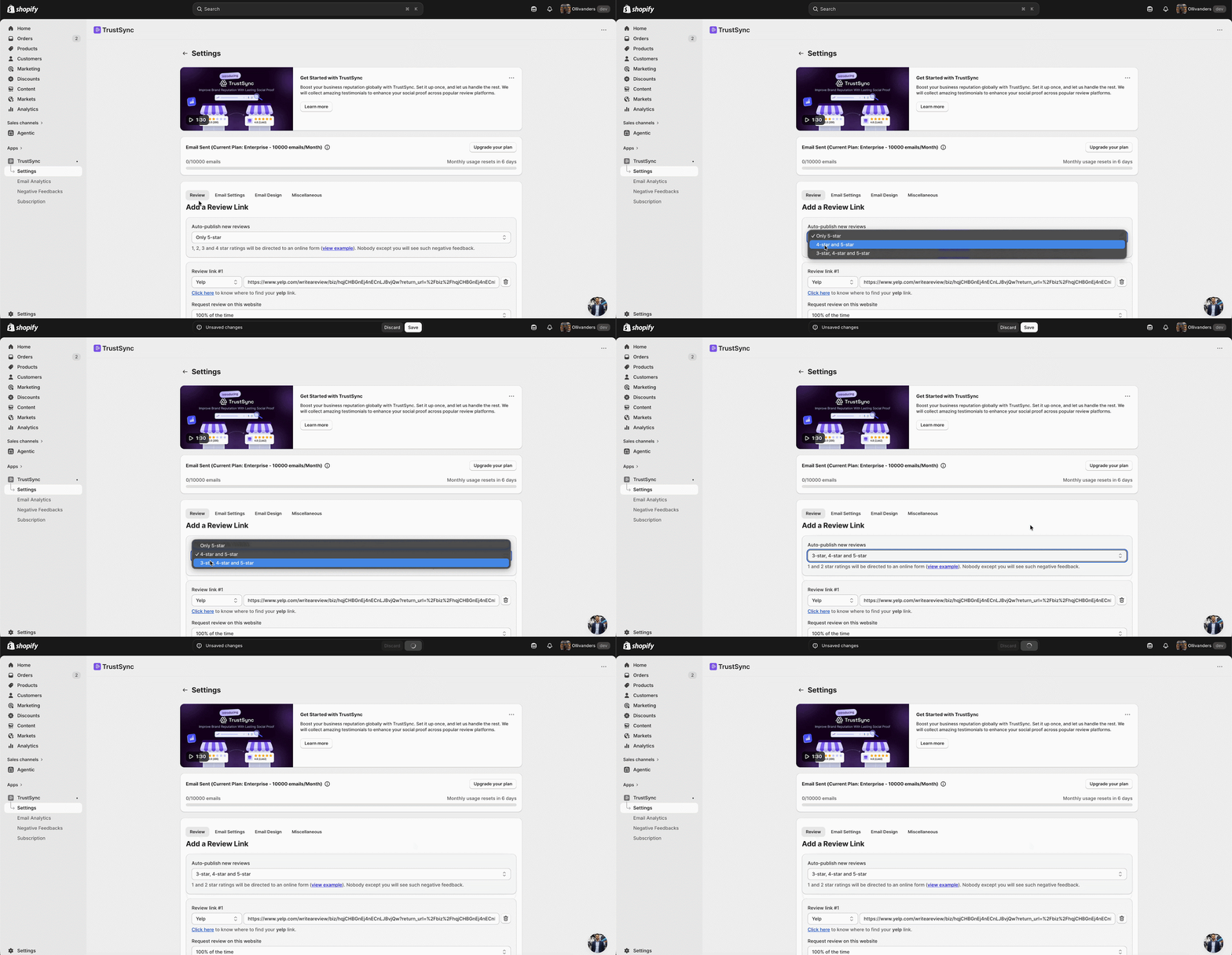
If you set “Only 5-star” into auto-publish mode, the other options will go to the ‘Negative Feedbacks‘ tab. From there, you can easily communicate with the users and turn that negative feedback into positive one.
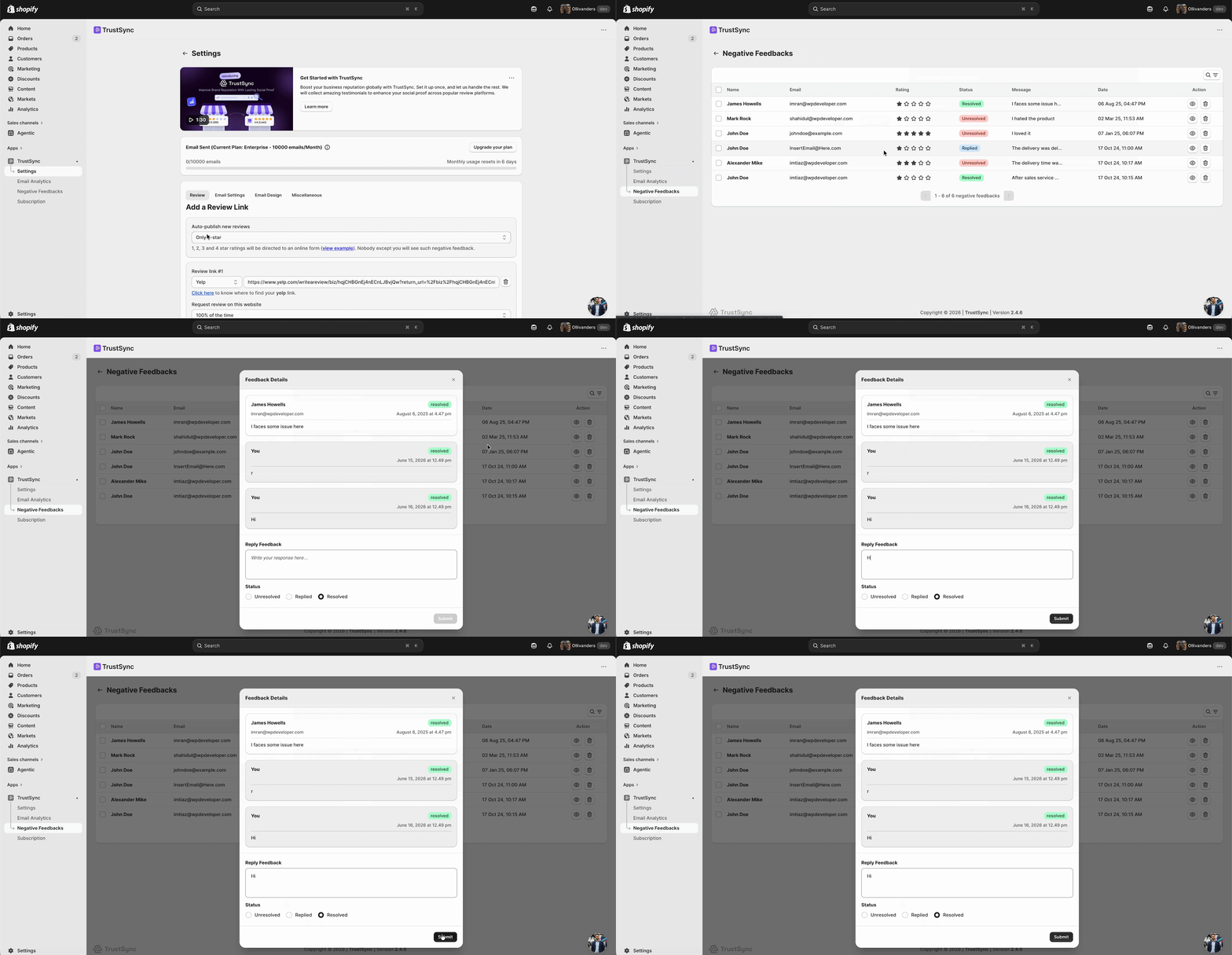
👉 Learn more: How To Manage Negative Feedback Of Customers With TrustSync?
This is how easily you can find & add review link for Yelp in the TrustSync app.
Need assistance? Feel free to reach out to our dedicated support team for any type of queries.


